
All About My Weekly Camera Roll Clean Up
One of my Friday routines is clearing out my camera roll on my phone.
I started doing this about three years ago and it’s a nice way to end the week and also keep my phone’s camera roll from getting completely cluttered with a bazillion nearly identical photos, random screenshots, and blurry videos of the bottom of my purse.
It takes me about 5 minutes each week and makes my life so much easier!
Here are all the details about how I do my weekly camera clear out:
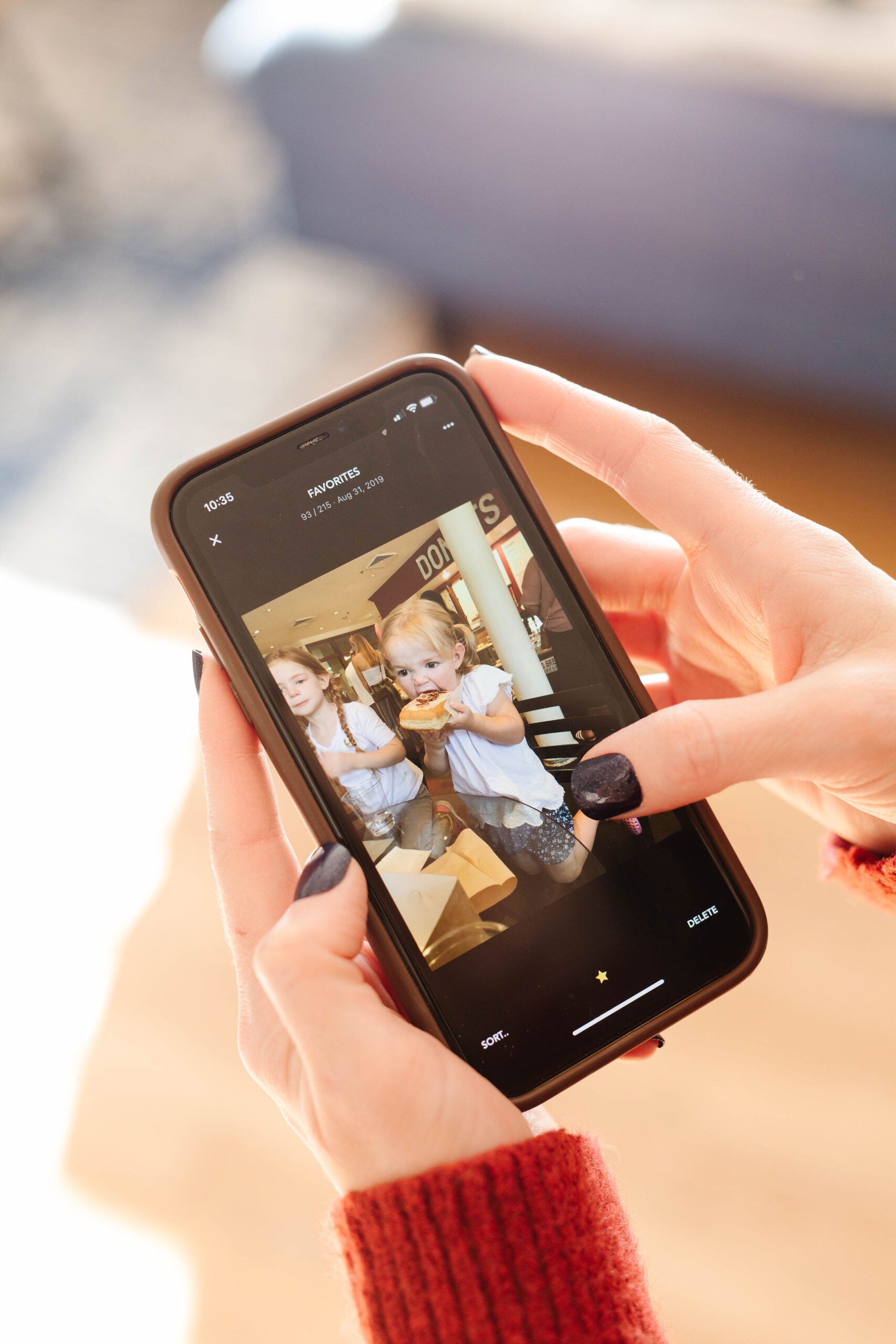
How to Clean Up Photos on an iPhone or Android
I use Slidebox to quickly sort and delete my photos – it’s an app that integrates with your phone’s camera roll and makes it really quick and easy (I paid for the premium version and it is worth every penny. Otherwise, you’ll get an ad after every 20 photos which really slows things down). I have a whole post about Slidebox here, if you want more details.
Basically, it starts with your most recent photo and you either swipe it into the trash in the top right corner or drop it into the album you want to save it in. Lots of people ask why I even bother with an app, when you could just do it right in the camera roll and you’re more than welcome to do so, but it’s WAY more tedious and until you’ve tried a swiping app, it’s hard to convey how MUCH easier it is (you can try Slidebox for free and see if it works for you or you can decide to stick with doing it right in the camera roll).
I have a number of albums (ones like “2025 Family Album” for photos I’ll put in our end-of-year photo book or “Reels” or “August 2025 Book Club” or “Books to Read” or “Savvy reviews”) and then I can drop photos into the correct album so they’re easy for me to find when I need them. It’s SO NICE when the book club month rolls around and I have all the messages and comments about that book saved in one place where I can easily find and share them!
When I’ve sorted the whole week’s worth of photos (which usually takes me around five to ten minutes), I permanently trash everything I’ve deleted which also removes it from my iCloud.
My camera roll also backs up to Google Photos and Slidebox doesn’t interact with that – I go through every month or two and delete things manually there (generally the 23401 video takes that are clogging up massive amounts of space).
I opened a question box on Instagram about my weekly camera sort and here are some of the most common questions that came in:
Q & A about my weekly clean up of my photos
How often you clear/delete your phone photos?
I do this pretty much every Friday. If I’m traveling or otherwise unavailable, I’ll just do two weeks worth of sorting on the next Friday.
Do you ever feel like you need to review what’s about to be deleted?
This is an important thing to know about Slidebox – it’s not deleting anything for you. You’re reviewing, sorting, and deleting every photo. The thing that makes it fast is the interface, but it’s not deleting anything that you haven’t chosen to have deleted.
Is there a reason you switched from Flic?
Yes! Flic stopped being updated about 6 years ago, plus it didn’t work with Android at all, so I switched to Slidebox.
Slidebox isn’t available for my android – any chance your followers have good recs for Android?
It’s available for Androids now!
Why use an app and not just look through photos and delete?
Because it’s seriously 10x as fast and smooth. If you’re skeptical, give it a try for free and see what you think. And if you have a good system going without an app, stick with it! No pressure on my part to switch up a good thing. (But if you have good intentions of clearing things out and then keep putting it off because it’s so tedious, seriously give Slidebox a try).
I started this last Friday when you posted about. I went through 300 photos in no time!
It’s seriously wild how quick and painless it is. This is one of those situations where the right tool makes ALL the difference.
Do you use the free version of the app or pay for the upgrade?
It took me about 30 seconds to decide that the one-time fee was worth paying. Stopping every 20 photos for an ad is a waste of my time. Also, because it’s a one-time fee, the sooner you pay it, the more value you’ll get out of it (or you can choose a subscription option now, I think).
Do you trust the app? Security issues?
Obviously, if you’re concerned, you should do your own research. I personally trust it and have had zero issues with it.
I really want to tackle my photo storage situation, but it seems so overwhelming.
I know EXACTLY what you mean! When you see that you have 40,000 photos sitting there, that’s really overwhelming. Here’s what I would do: download Slidebox and do the photos from last month. That’s it. It’ll probably take you 10 minutes. Once you have those done, go back and do the month before that. Starting is the worst part. Don’t commit yourself to managing it all now. Just start doing a week at a time so that it doesn’t keep getting worse.
How do you decide what to keep? Baby pics are all so cute and precious and space hogs.
The thing about Slidebox is that it really makes it easier to deal with this. If you’ve taken 100 photos of your baby in a row (guilty!), Slidebox makes it easy to see “oh, they’re blinking in this one. Delete” or “Oh, this one is blurry. Delete.” When you can swipe right through them, you keep the best instead of everyone. No one needs 50 almost identical photos. Pick the best 2-3 and make everyone’s life easier.
Do you take screenshots? I have so many jumbled in my regular photos.
Oh a million! That’s one reason I love this system – I can sort them into albums like ‘Utah spots” or “books to read” or whatever so that I can actually find them when I need them (and I can quickly delete the ones I no longer need).
Do you keep your Insta content, like reels videos and and stuff?
I keep all my finished reels and delete all the extra takes and video clips. I have an album for all the reels to live. I definitely do NOT keep all my videos for InstaStories or sponsored videos once they’re posted.
Where do you keep photos you will use for blogging/story posts?
I have a couple of albums for these types of photos so they’re ready to go. The most used album for this is actually my Lightroom album that saves all my edited photos because those ones are ready to use.
Does this help with iCloud storage or do you still pay for that?
I do pay for iCloud storage, but this helps keep it WAY more manageable so that I’m only paying to backup things I actually care about saving and not tons of junk
When do you edit the photos? As you use them, with the weekly clean out, never?
I edit them when I use the photo – it’s not part of this camera roll clean out workflow.
Do you print them?
I do an annual photo book (which is made really easy by having an album called “2025 Family Album” so that all the photos I want to use are there, ready to go).
Do you backup all your photos each week on a hard drive or something? Feels like a lot of work.
They back up to iCloud and Google Photos (both of which happen automatically – no work at all).
Where do you back up your photos?
Both iCloud and Google Photos.
I backup all my photos to Google. Does this clear out your camera roll or backups too?
It doesn’t clear out the backup – you could turn off automatic sync for Google Photos and then have it resync each Friday when you’re done clearing out the junk photos so you don’t backup all of those automatically.
I’d love to see a screencast of you doing it. I’ve tried it before and I don’t know what I’m doing?
I’ve made a little video of it on Instagram – you can see it here.
Any other questions about my weekly camera clean out? I’m happy to answer!
If you liked this post about how to clean up photos on an iPhone or android, you might like these posts too:
News
Berita Olahraga
News
Berita Terkini
Berita Terbaru
Berita Teknologi
Seputar Teknologi
Drama Korea
Resep Masakan
Pendidikan
Berita Terbaru
Berita Terbaru
Berita Terbaru

Related Posts

How to Make the Week Between Christmas and New Years Great

20+ Great Last-Minute Gift Ideas
